
Hologram vs VR vs 360° live
A launch for thousands needs something different from a sales meeting for one buyer. Here's how holograms, VR zones and 360° live streams compare.
Start with the audience
The right format depends on how many people you need to reach and where they are. A launch for thousands needs something different from a sales meeting for one buyer.
Holograms for crowds in one place
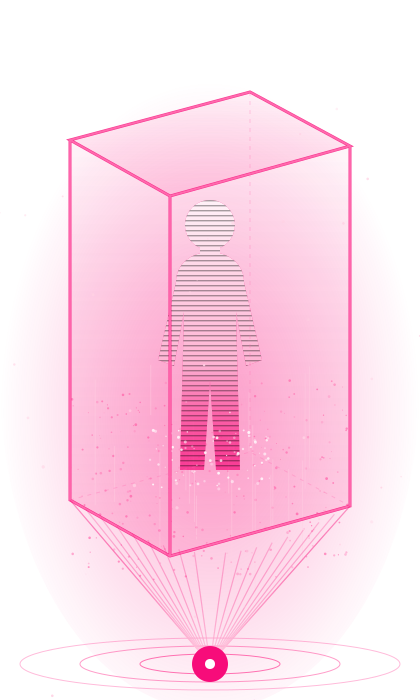
A hologram box shows a life-size presenter or product, with no headset needed. Everyone walking past sees it at once, which suits expos, lobbies and launches.
It works best with short, looping content. A presenter who greets visitors every few minutes keeps the stand busy all day.
VR for deep, personal experiences
VR puts one visitor fully inside your story, such as a test ride or an unbuilt flat. The experience is memorable, but each headset serves one person per session.
Plan the queue. Ten headsets running five-minute sessions serve about 120 visitors an hour, before changeover time.
360° live for remote audiences
A 360° live stream lets remote viewers look in any direction, on a phone, browser or headset. It suits national events, festivals and launches with audiences far from the venue.
Test the venue's upload speed early, because 360° video needs far more bandwidth than a normal stream.
Comparing reach per hour
A hologram reaches everyone who walks past at once. A 360° live stream reaches any number of remote viewers.
A VR zone serves one person per headset per session, so reach depends on headsets and session length. Plan VR for depth, not for the largest numbers.
Space and setup
A hologram box needs floor space, height clearance and power, away from direct sunlight. A VR zone needs a supervised area, often two by two metres per headset.
A 360° stream needs camera positions and a strong internet uplink at the venue. Each format has different venue requirements, so survey the space early.
Producing the content
Hologram content is filmed against black or built as 3D animation, then tested on the box. VR content is built in a real-time engine and tested on the headset.
360° live needs camera planning and rehearsal rather than pre-made content. Each takes different lead times, so plan production early.
Staffing on the day
Holograms run mostly unattended once set up. VR zones need crew to fit headsets, guide visitors and clean equipment.
360° live needs a camera and streaming crew throughout the event. Factor staffing into both cost and venue planning.
Measuring each format
For holograms, measure footfall at the stand and leads captured nearby. For VR, count sessions and capture leads at each station.
For 360° live, track viewers, watch time and replays. Agree the measure before the event, so you can judge the format fairly.
Formats for government and public events
National days, ceremonies and festivals often reach the most people through 360° live. Public showcases suit XR domes, which serve groups without headsets.
Projection mapping on landmarks gives large crowds a shared moment. Many public events combine a stream with an on-site experience.
Formats for product launches
A hologram reveal creates a memorable moment on stage or at the stand. VR lets guests try the product in a designed world.
A 360° stream brings the launch to dealers, partners and customers who can't attend.
Formats for expos and trade fairs
At busy expos, a life-size hologram stops people walking past. A few VR stations then give interested visitors a deeper look.
Keep each experience short and end it with a clear next step, such as booking a meeting.
Planning your event timeline
Book once dates and stand size are fixed. Content production and testing usually take longer than delivery and setup.
Rentals with existing content can be arranged faster than custom experiences. Live streams need venue surveys and connectivity tests well before the day.
Choosing with Culenz
On a free scoping call, we ask about your audience, venue, dates and goal. We then recommend one format or a combination, with a dated schedule and quote.
Culenz delivers holograms, VR zones and 360° live streams for events across India and Dubai.
When a hologram fits best
Choose a hologram when you need to stop crowds in a busy space and share one clear message. It works without staff in headsets and runs all day.
Holograms suit expos, lobbies, launches and malls. They are less suited to bright outdoor spaces or experiences that need deep interaction.
When VR is the right choice
Choose VR when each visitor should experience something they can't get any other way. Riding a vehicle or walking through an unbuilt home are good examples.
VR suits brand activations, sales galleries and training. Plan for queues, crew and cleaning, because each headset serves one person at a time.
When 360° live fits best
Choose 360° live when your audience is far from the venue and the atmosphere matters. Viewers look around as if they were there.
It suits national events, festivals, concerts and launches with remote audiences. Check the venue's upload speed before you commit.
Hybrid events and remote audiences
Hybrid events combine an on-site audience with an online one. A hologram or VR zone serves the venue, while a 360° stream serves everyone else.
Plan both audiences from the start, so neither feels like an afterthought. Recordings then extend the event's reach afterwards.
Reusing content after the event
Hologram films, VR experiences and 360° recordings can all be reused. They can run in showrooms, at later events or online.
Planning for reuse from the start lowers the cost of each later use. Ask for the final files and rights in the project scope.
Questions to ask your XR vendor
Ask what similar events they have delivered and who will run the experience on the day. Ask how they test at the venue before opening.
Finally, ask for an itemised quote that separates content, hardware, crew and travel. Clear answers show real event experience.
Accessibility at events
Not every visitor can or wants to wear a headset. Holograms, domes, screens and 360° streams make sure everyone can join in.
Plan seating, step-free access and clear instructions for each station. A short briefing from crew helps first-time visitors feel at ease.
Weather and outdoor events
Hologram boxes and projection need darkness or shade to look their best. Outdoor daytime events may need a covered area or a dome.
VR headsets also struggle in direct sun, which can damage lenses. 360° cameras work outdoors, but need weather protection and a reliable uplink.
Safety and crowd management
Every format needs a safety plan. VR zones need clear space around each user, and holograms need cables and enclosures kept away from foot traffic.
Busy stands also need queue barriers and trained crew. A short safety briefing with the venue team before opening avoids most problems on the day.
A quick decision guide
For crowds in one place, start with a hologram. For deep, personal experiences, choose VR.
For audiences far away, use 360° live. Combine formats when your event needs to reach several audiences at once.
Combining formats at one event
Many events use two formats together. A hologram draws people in, a VR zone gives them depth, and a 360° stream reaches everyone else.